 Family Points
Turn your kid's homework into practice they want to do.
Take a photo of a worksheet. AI turns it into practice. Your kid earns points for rewards.
Points for good habits too. For iPhone and the web.
Not another learning app
Store apps give every kid the same lessons. Family Points practices what your kid has this week, the way you want.
| Other learning apps | Family Points |
|---|---|
| Other apps: The same lessons for every kid | Family Points: This week's spelling list, worksheet or test |
| Other apps: A fixed path you can't change | Family Points: You write it, or AI drafts it and you edit it |
| Other apps: Doesn't know what they missed | Family Points: Each new set repeats what they missed, a level up or down |
| Other apps: Kids get bored and skip it | Family Points: Right answers pay points for rewards they want |
| Other apps: Only learning | Family Points: Learning and good habits, in one place |
Practice that adapts to your kid
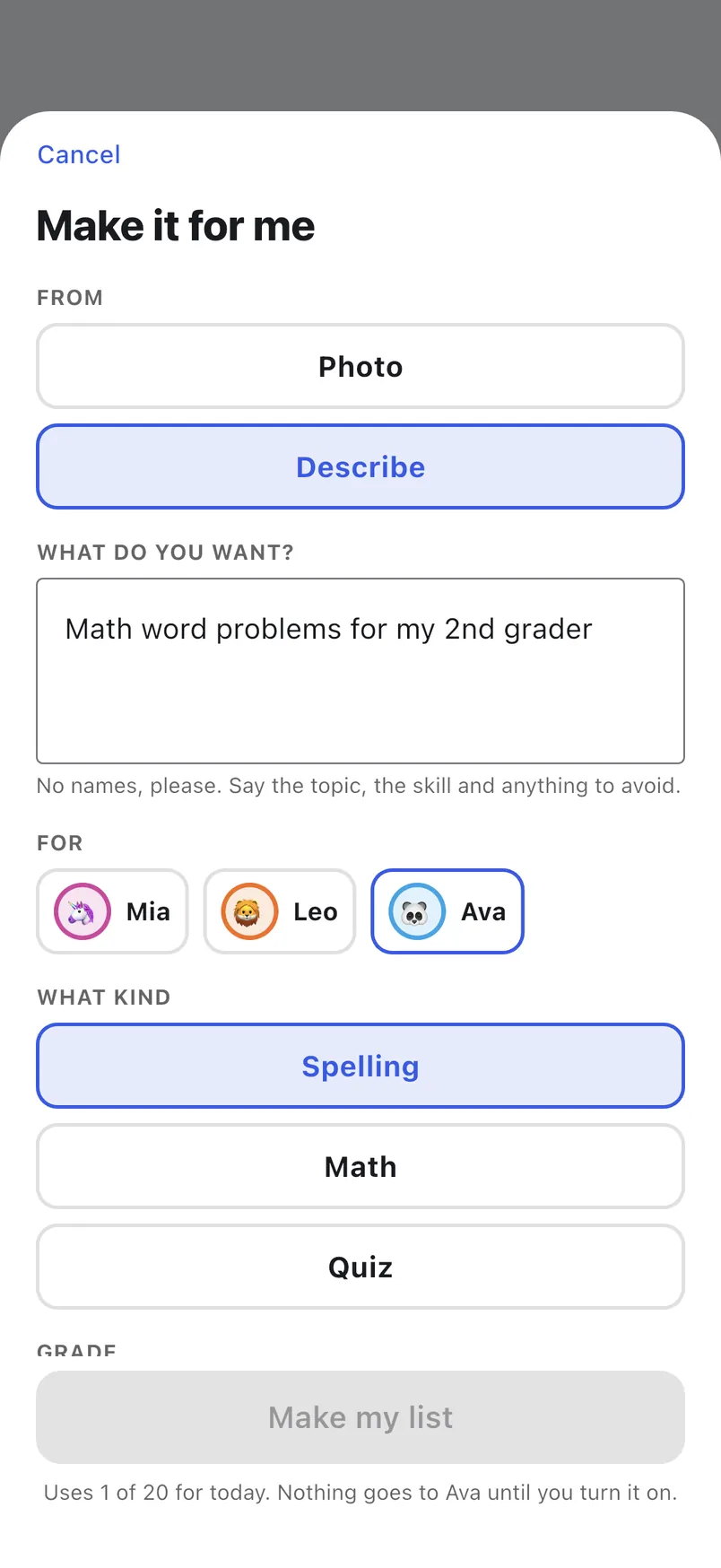
Take a photo of the worksheet, or describe what's on Friday's test. AI drafts the practice; you check it and turn it on. When your kid is done, one tap makes the next set from what they missed.
- 1Take a photo or describe it. A photo of the worksheet, or "Science test on the solar system". Pick grade K–8 and Easy, Medium or Hard.
- 2You're the editor. The draft starts off. Change any question, add your own, then turn it on.
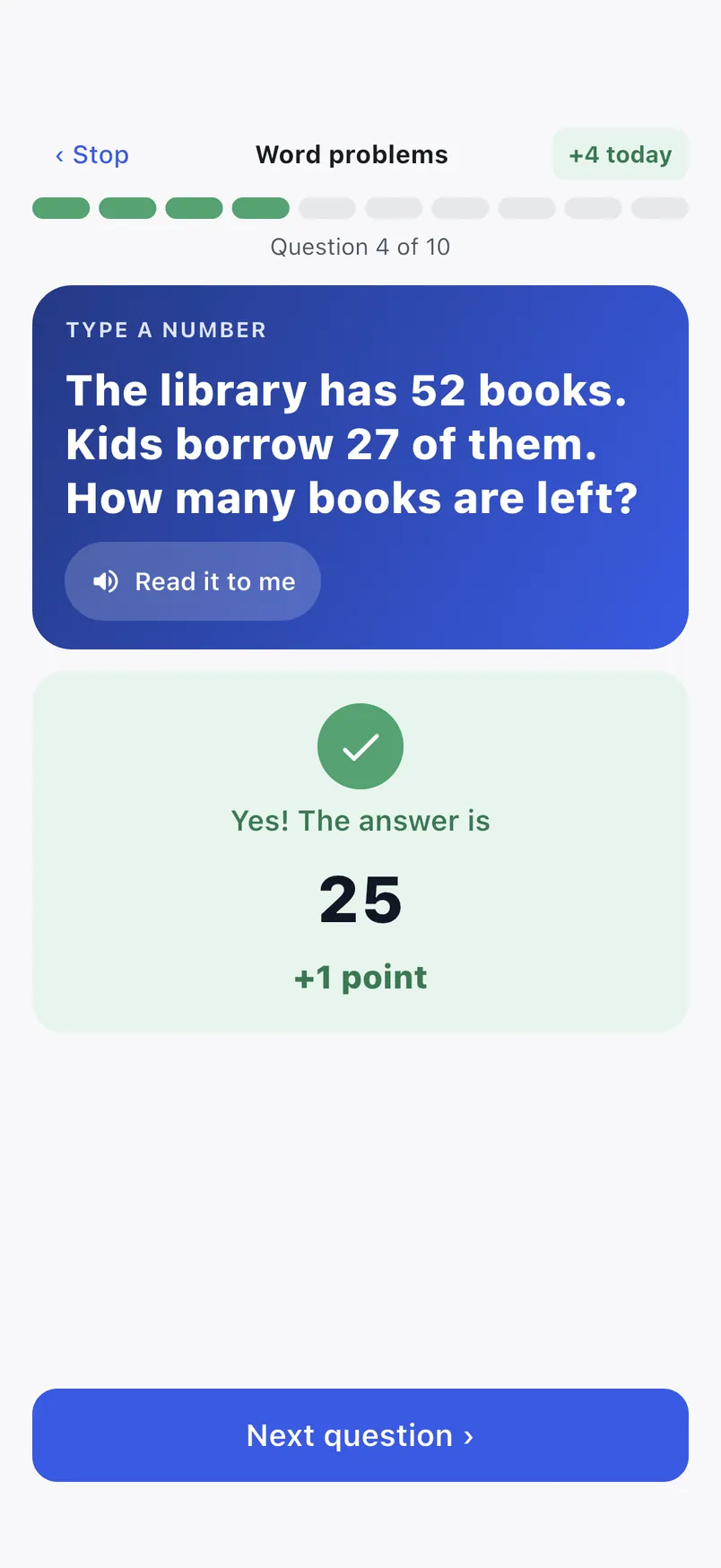
- 3Your kid practices and earns. Right answers pay points. Misses get a hint, then come back at the end.
- 4Make the next set. What they missed comes back in new ways. Did great? The level goes up. Struggled? It goes down. Then back to step 3.
- AI never talks to your kid. It helps you.
- It never sees your kid's name, emoji or color.
- Photos are used once and never stored.
- Math answers are re-checked by the app.
Everything is yours to set
Kids skip the learning apps from the store. They don't skip points. You make practice that matches what school sent home, your kid plays it, and right answers pay into the same points they already save.
The app checks every answer. Your kid sees an answer only after getting it right, or after a few misses.
Spelling lists
Type the list from the school sheet. The app says each word and your kid types it.
Words that sound alike (two, too) get a sentence that's read aloud, never shown.
Quizzes on anything
Science, history, the book they're reading. Mix typed answers, numbers, multiple choice and true or false.
Add a clue that shows after a wrong try. Choices are shuffled for each kid.
Math facts, made for you
Pick addition, subtraction or both, numbers up to 999, with or without carrying, plus < = > comparisons.
Tap "New problems" for a fresh list any time. No typing needed.
You set the rules
How points work
Stop keeping score in your head. Every point has a reason, and everyone sees the same numbers.
Give points with a reason
Tap + or −, pick a reason like "Homework done" or type your own. A few taps.
Save up for rewards
Your family picks the rewards and their prices: ice cream, a park trip, extra game time.
See why points changed
Made a mistake? Undo it. Nothing is erased, so the history always tells the whole story.
Kids ask. Parents decide.
Your kid taps "I did something good" or "Ask for this" on a reward. You see it in Requests and approve it, or say "Not this time".
Kids never pick the number of points. You do.
Made for kids, on your phone
Tap Kids mode and hand over your phone. Your kid taps their name and enters their own 4-digit PIN. Brothers and sisters can't peek at each other or send requests as each other.
- Kids pick their own emoji and color.
- They star the reward they're saving for and watch the bar fill.
- No kid emails or passwords. Just a PIN.
- Too many wrong PINs pause Kids mode until a parent unlocks it.
Stickers to collect
Kids earn badges from the points you give: five clean-ups, three books, a 7-day streak. Once earned, a sticker is theirs to keep.
- First points
- Clean-up champ
- Bookworm
- 7-day streak
- Well behaved(not earned yet)
- Big saver(not earned yet)
Gifts between kids
An older kid can give some points to help a younger one reach a reward. A parent approves every gift first, so nobody gets pressured.
- −10 Mia: Gave 10 to Ava
- +10 Ava: Got 10 from Mia
A points board for your wall
An optional LED board shows every kid's points and a bar to their next reward, in their own color. It updates by itself within half a minute after you give points.
Built from an Adafruit Matrix Portal and a 64×32 LED panel. Pair it with a 6-digit code from Settings.
A first name, a color and an emoji. That's all we keep about a kid.
Plus a PIN, and the points, requests, stickers and practice your family adds, so the app can work. Nothing more.
No kid emails
No photos, birthdays or location either.
No ads, no trackers
This site doesn't load a single tracker, and neither does the app.
Never sold
We never sell your family's data or share it for ads.
Yours to delete
Ask us and we'll delete your family and all its data.

Want Family Points for your family?
Families join by invite right now. Send us a note and we'll get you set up.
Ask for an invite